Steps to Enable Two-Factor Authentication
To set up two-factor authentication, your account must have a registered phone number for security.
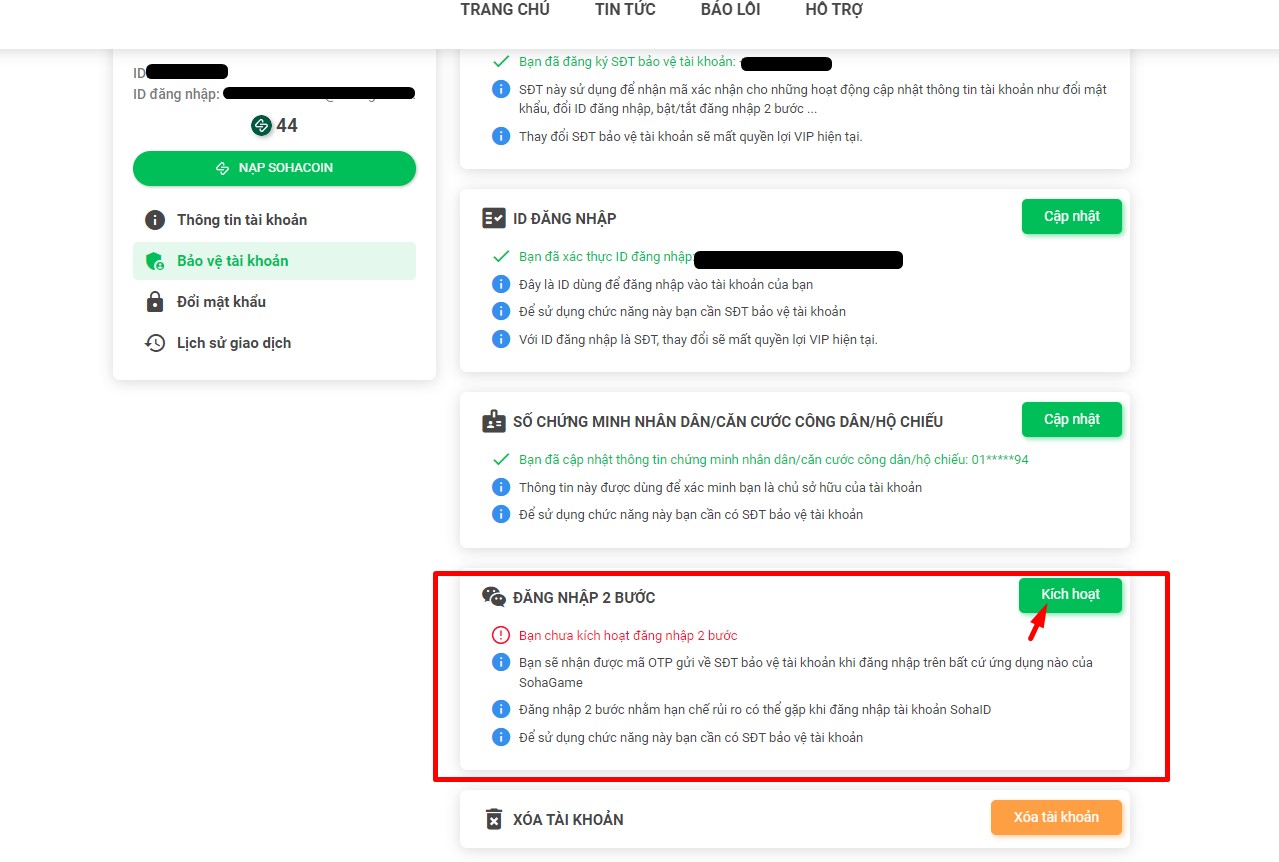
First, log in to your account at https://taikhoan.sohagame.vn. Select "Account Protection" => "Two-Factor Authentication" => "Activate".
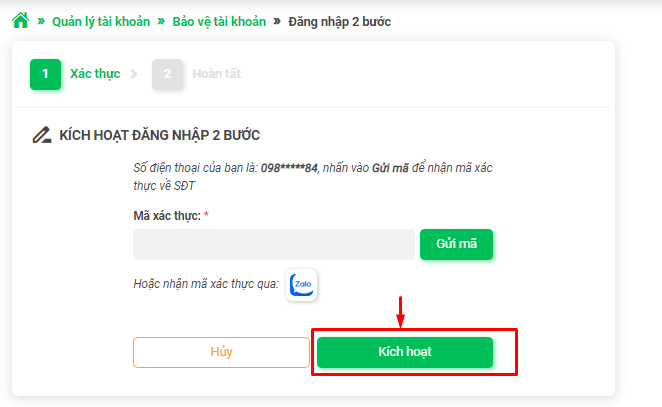
Next, enter the OTP code sent to your registered phone number (via Zalo or SMS) => click "Activate" and wait for the completion notification.