SohaGame introduces a convenient new way to top up SohaCoin through direct bank transfer. Simple steps, fast SohaCoin delivery, and great promotions: enjoy a 4% bonus on SohaCoin when topping up via bank transfer.
Users can transfer funds from any bank or e-wallet to one of 3 accounts: BIDV, Wooribank, or VPBank to quickly top up SohaCoin. Please follow these instructions:
For first-time users making a transfer:
- Step 1: Visit https://nap.sohagame.vn/, log in, and select your character.
- Step 2: Select “Direct Bank Transfer” => choose the receiving bank. You will see the account number information here. Click the copy button to avoid errors when re-typing!
- Each Soha ID is linked to a different receiving account number. Please transfer funds to the correct account associated with your ID to receive SohaCoin.
- Step 3: Make Payment
- Open your banking app.
- Select transfer to one of the 3 banks: BIDV/Wooribank/VPBank.
- Enter the account number corresponding to the bank you selected (each user will have a unique account number).
- Enter the amount you want to top up: It's recommended to top up the minimum amount to receive the SohaCoin promotion!
- Double-check the information and proceed with the payment.
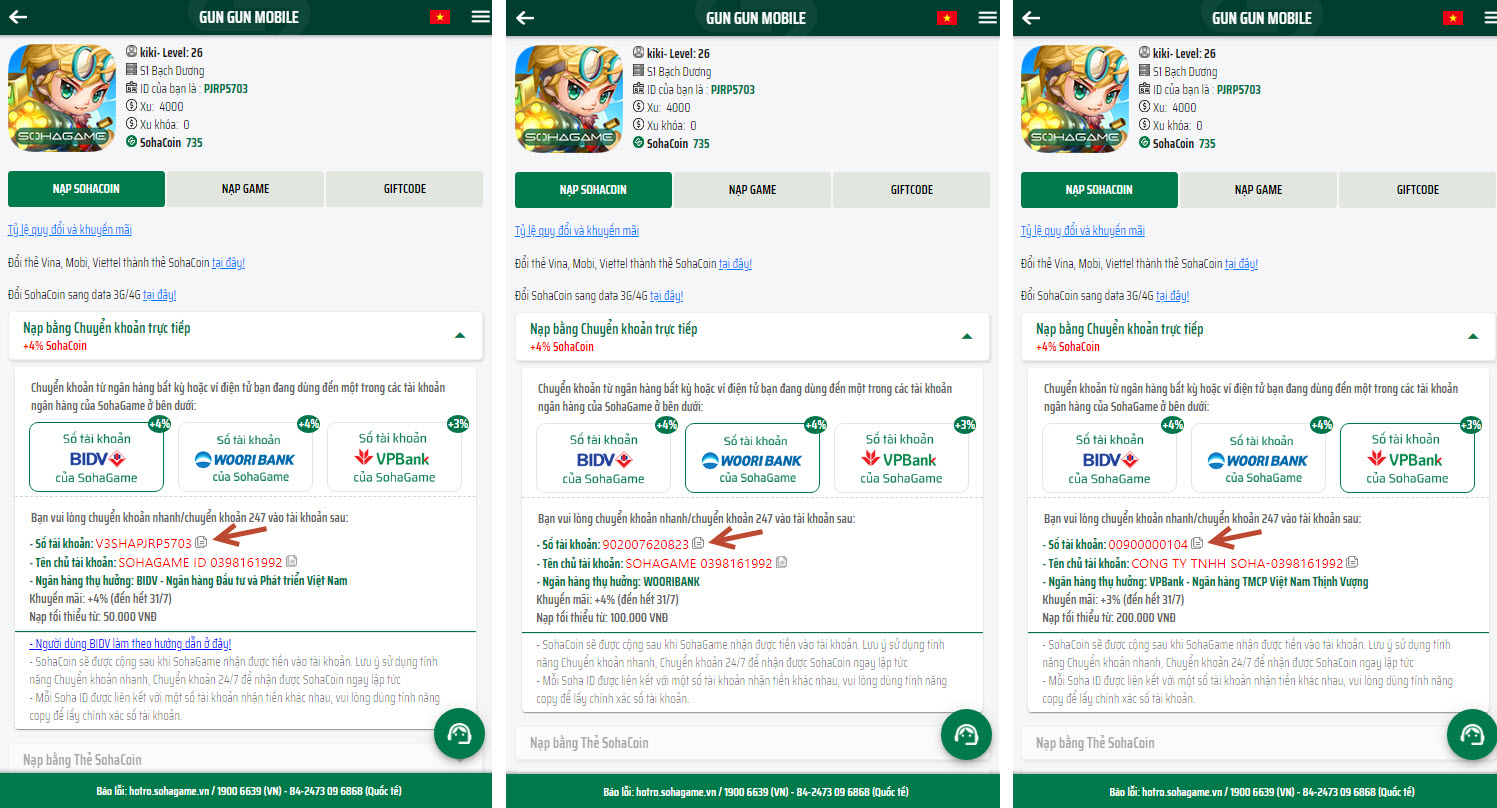
Note: You will receive the corresponding amount of SohaCoin in your account as soon as SohaGame receives the funds, so please choose a 24/7 fast transfer option! Save the account number on your mobile banking app for future transfers!
Promotional policies are subject to change. For customers using the BIDV mobile banking app, please see the instructions here!