Step 1: Get Account Information
Go to nap.sohagame.vn, select "Direct Bank Transfer" to obtain the account number and account holder name. 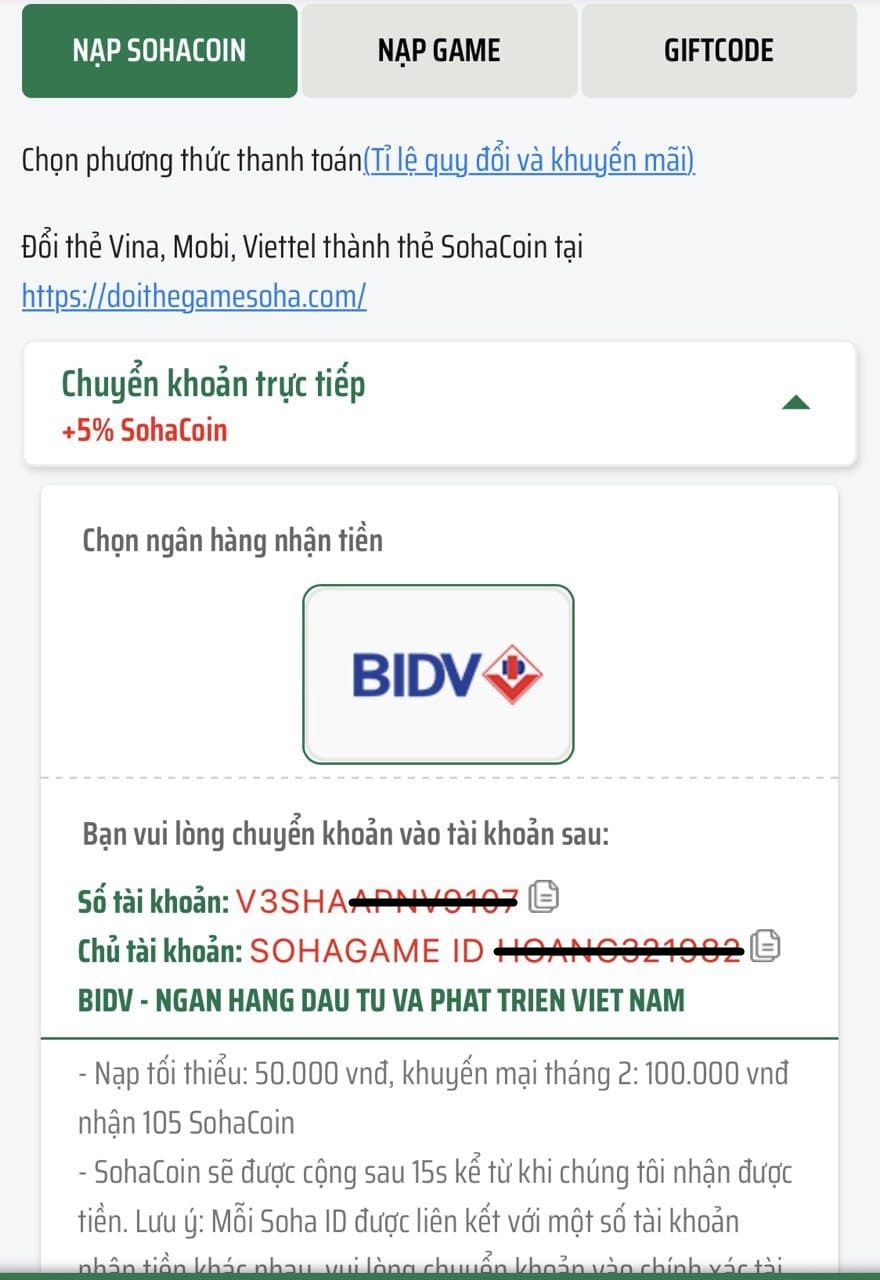
Step 2: Access Payment Section in BIDV App
Log in to the app and select "Payment" => select "Finance". 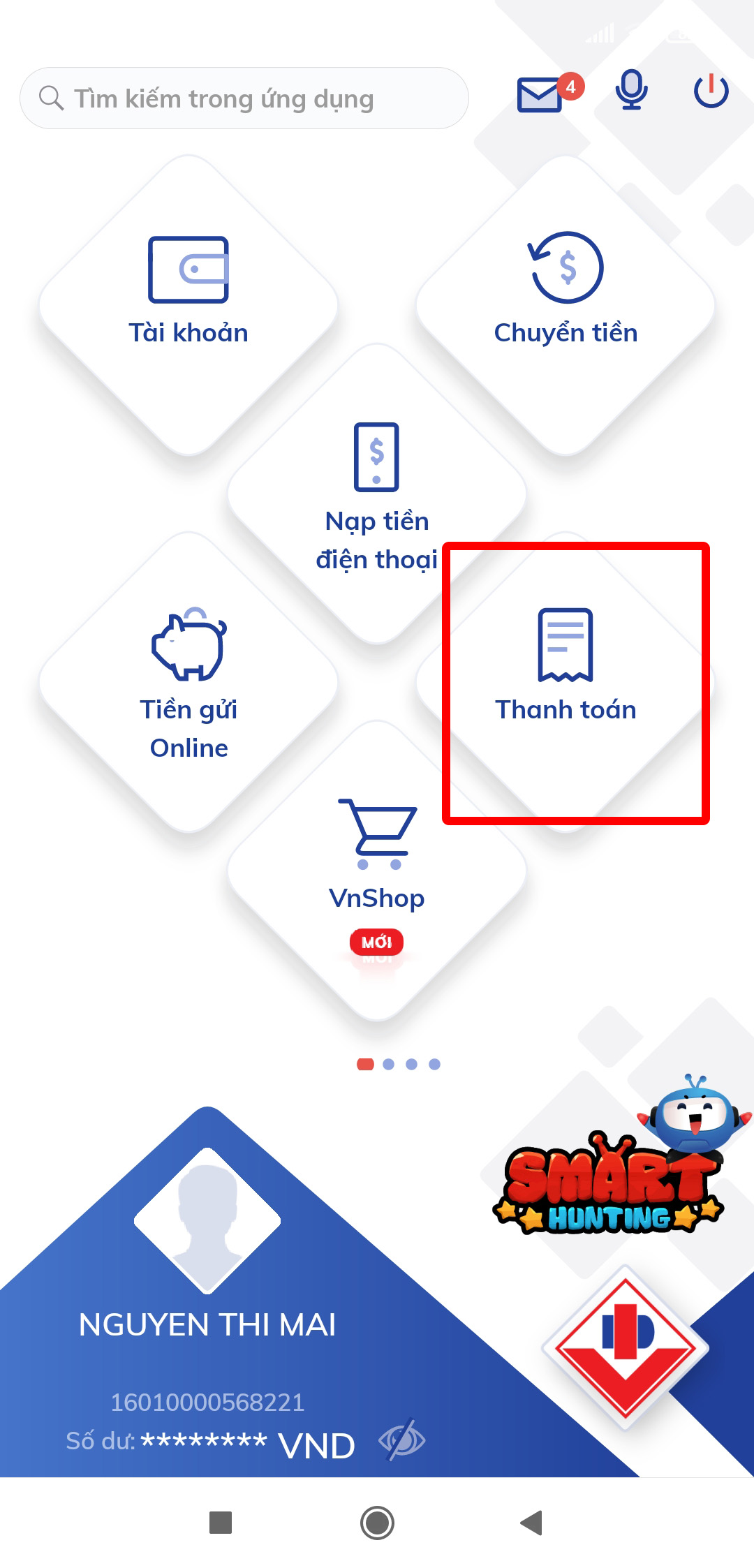

Step 3: Select Soha as Provider
Choose Soha as the provider. 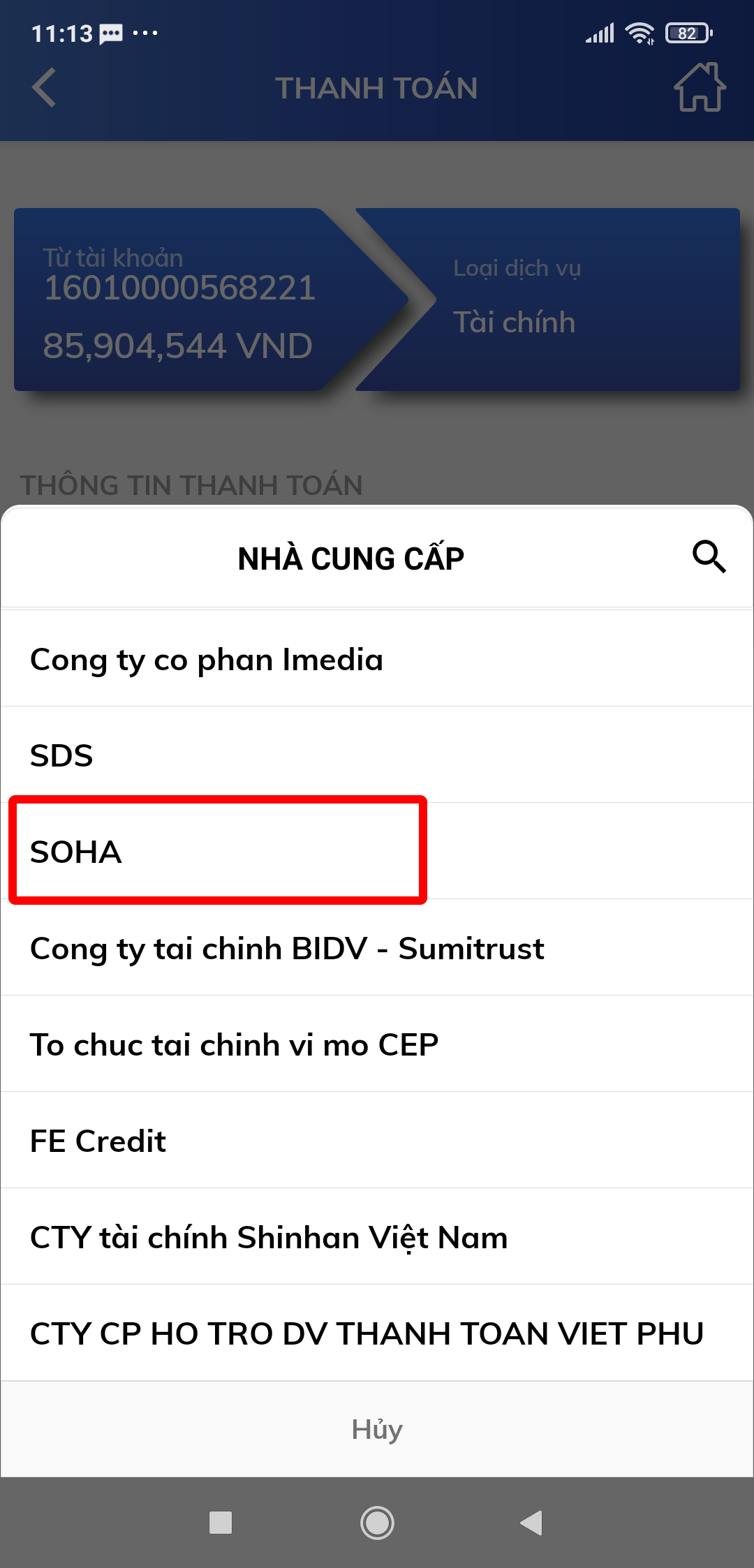
Step 4: Enter Customer Code and Amount
Enter the customer code (which is the account number obtained from the recharge page). Enter a minimum amount of 50k and select "Continue". 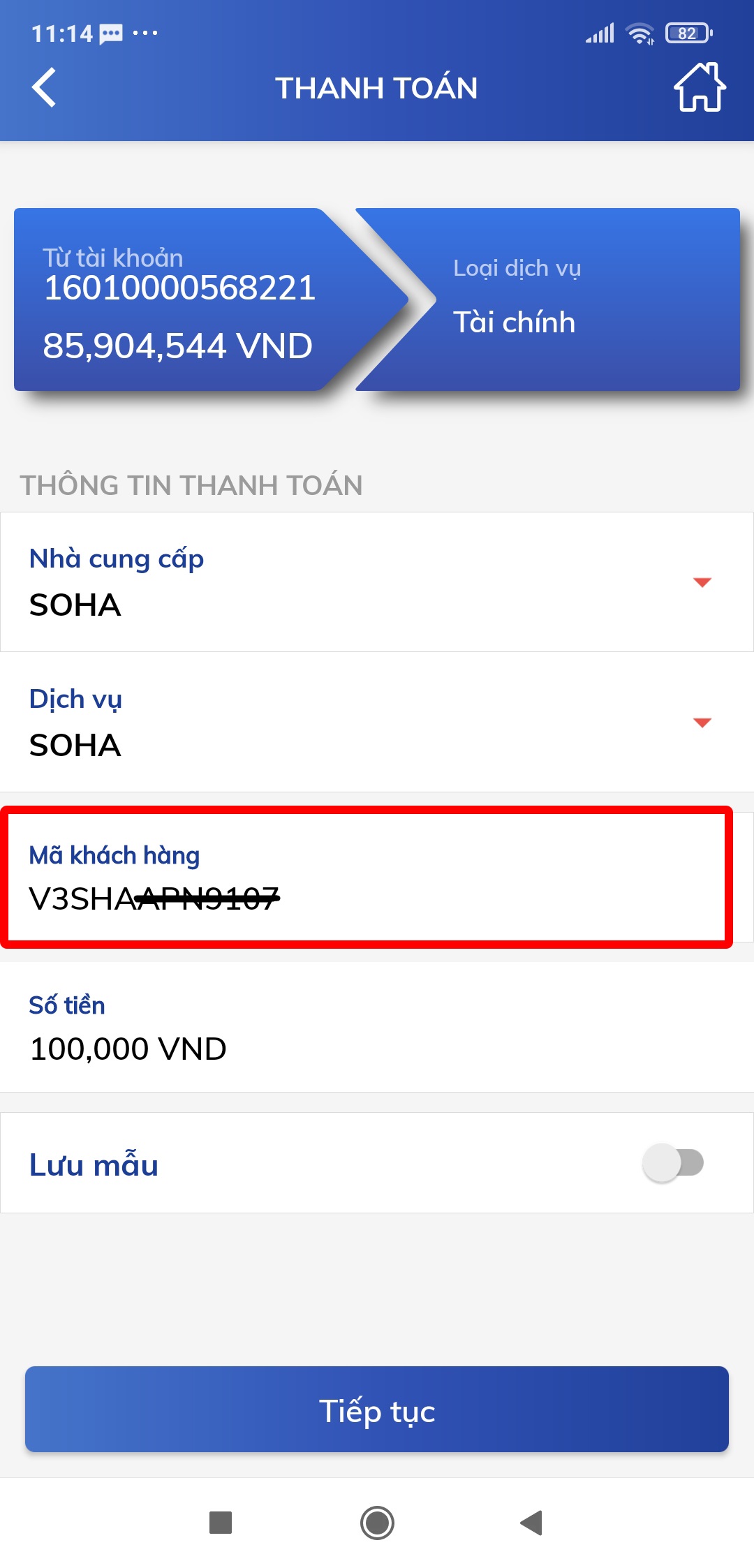
Step 5: Verify and Complete Transaction
Carefully check the payment information to ensure it matches the account holder name on the recharge page. Enter your PIN to complete the transaction. 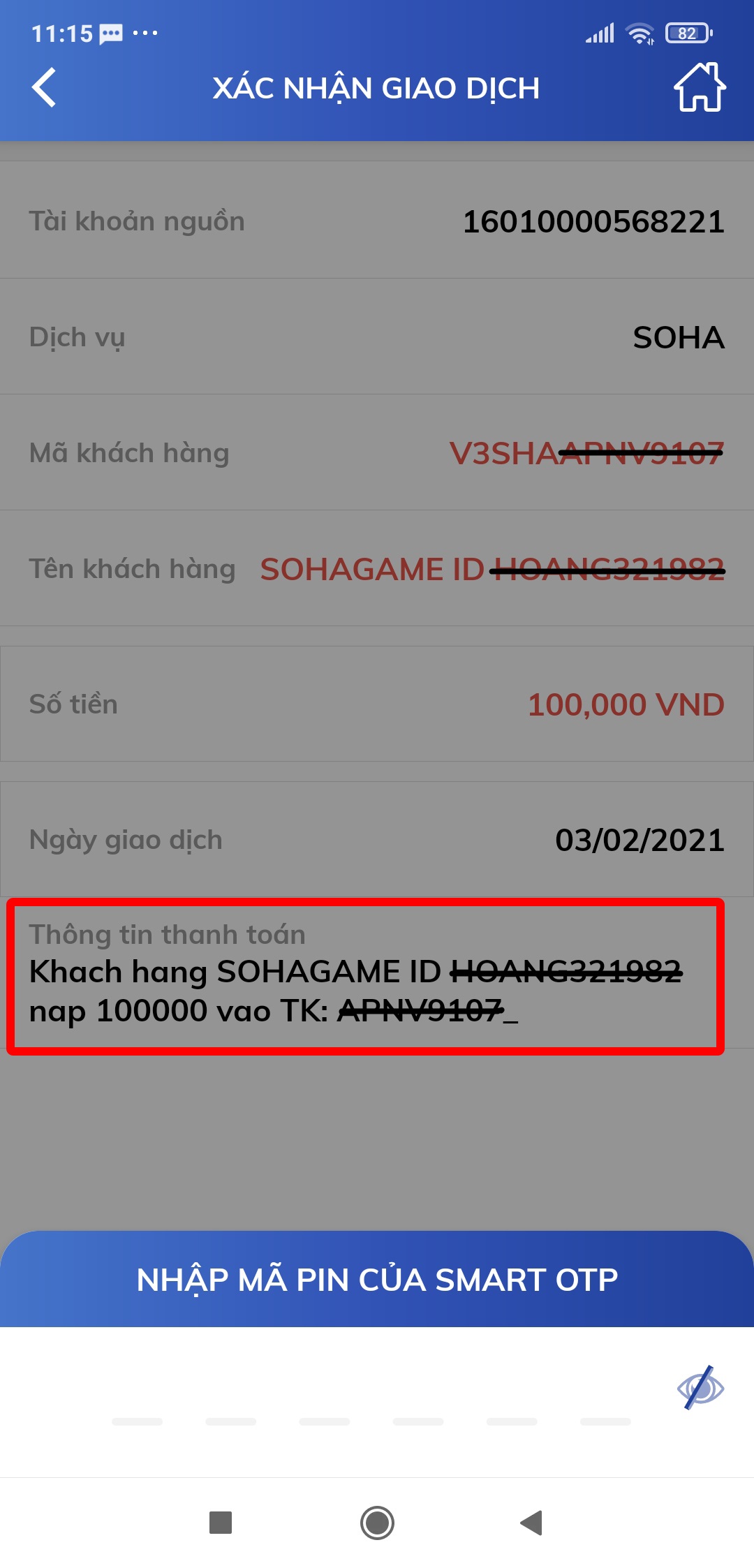
SohaCoin will be credited immediately after the transaction is successful!