Changing Your Password
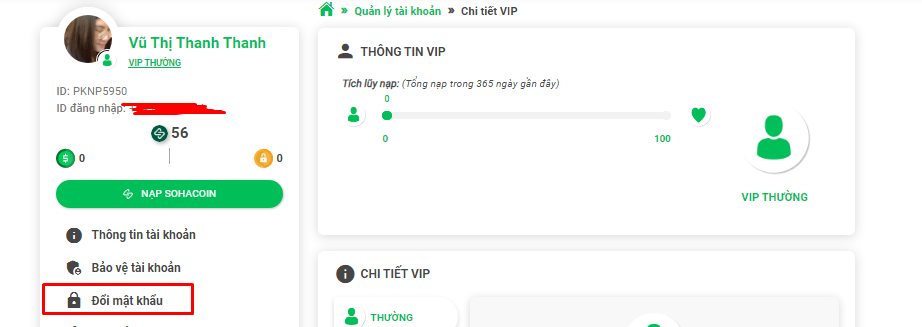
To change your SohaGameID login password, you need your old password and an OTP verification code sent to the account's protected phone number. Please log in to your account at https://taikhoan.sohagame.vn and select "Change Password".
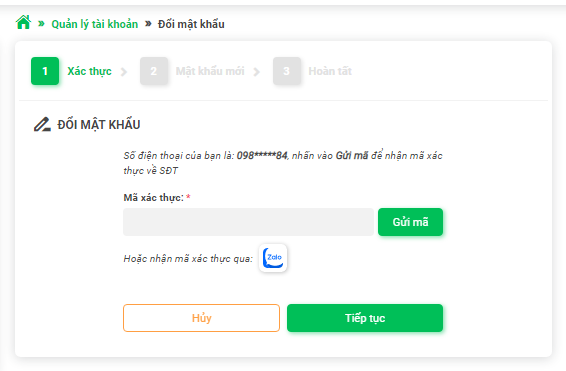
After that, enter the verification code (OTP) sent to your protected phone number (via Zalo or SMS) and press "Continue".
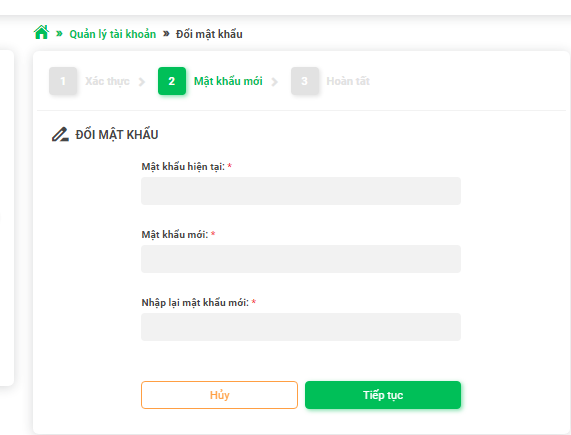
Finally, enter your old password, new password, and re-enter the new password to confirm, then press "Continue" and wait for the completion notification.