Step 1: Access Account Settings
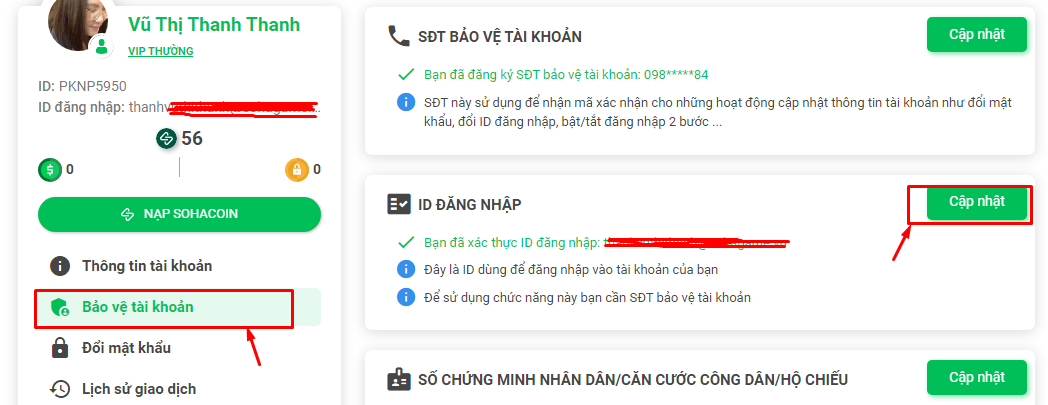
Please log in to the following website: https://taikhoan.sohagame.vn, select "Account Protection" => "Login ID" => "Update".
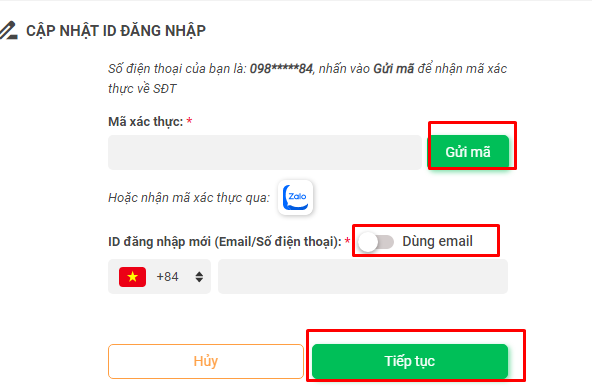
Enter the verification code sent to your protected phone number (via SMS or Zalo), enter your new email/phone number for login, and click "Continue" to complete the information input. Click the button to switch to "Use Email" to change the default format from phone number.
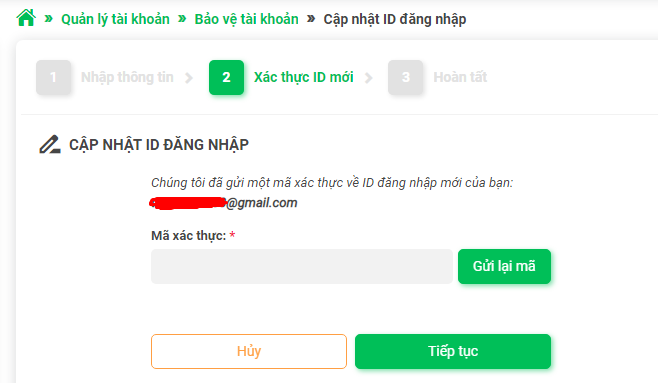
Step 2: Verify New ID
Enter the verification code sent to your new email or phone number, then click "Continue" to complete the "Verify New ID" step and finish the change.
Step 3: Completion
After you have fully updated the information in Step 2, the system will redirect you to a screen displaying "Completed" indicating the login ID change is successful.